ChatGPT business profile registration appears to be US-only for now. As of 11 November 2026, we found no self-serve route a UK business could complete. A UK online shop can start a claim in ChatGPT's Business Hub, but in our test the verification form required a US business address after the passport upload and face scan. Local shop and restaurant claims are limited to existing US listings, and the service route is marked “Coming soon”. OpenAI's setup guide
When someone asks ChatGPT where to buy something or who can do a job nearby, the information they see can shape who they contact. Claiming gives eligible business owners a way to supply current details and see whether customers click through to their site.
Can UK businesses claim a ChatGPT business profile now?
OpenAI says eligible businesses can claim in supported markets where the required verification is available. Its help page specifically limits local shop and restaurant claims to existing US listings. It does not state a blanket US-only policy for online shops. The US address restriction below is what we saw when testing the self-serve ecommerce flow for a UK business. OpenAI's launch announcement · OpenAI's setup guide
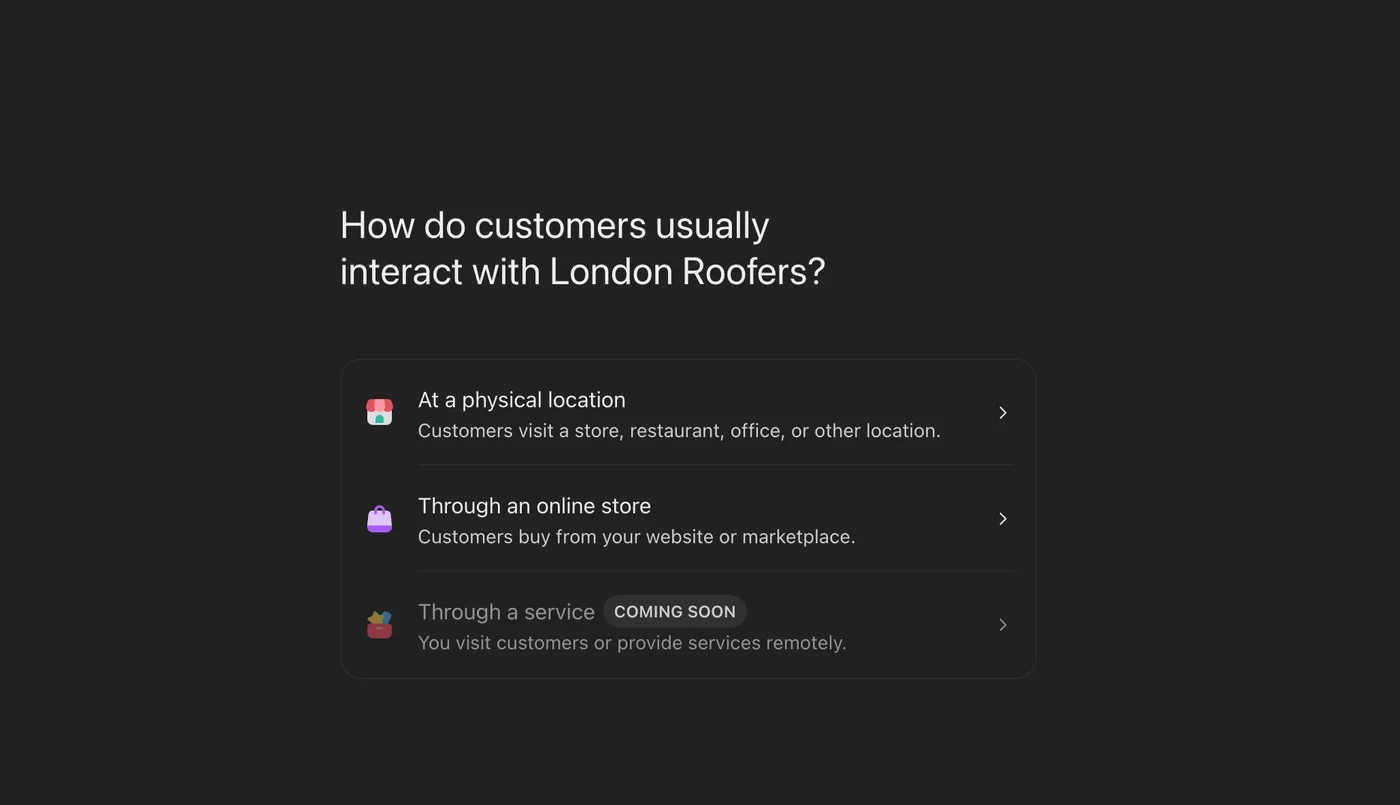
Through an online shop
Start the claim if Business Hub offers it and save a draft if you can. Wait for UK business addresses to be supported before completing Persona verification.
At customer-facing premises
OpenAI currently limits local shop and restaurant claims to existing US listings. The physical-location option can lead to a waitlist.
Through an on-site or remote service
The self-serve service option is marked “Coming soon”. Businesses that travel to customers or deliver services remotely cannot use this route yet.
Where our UK online-store verification stopped
Business Hub let us start the online-store claim without flagging a US address requirement. Its verification partner, Persona, asked us to upload a passport and complete a face scan. Only after those steps did the form ask for the business address.
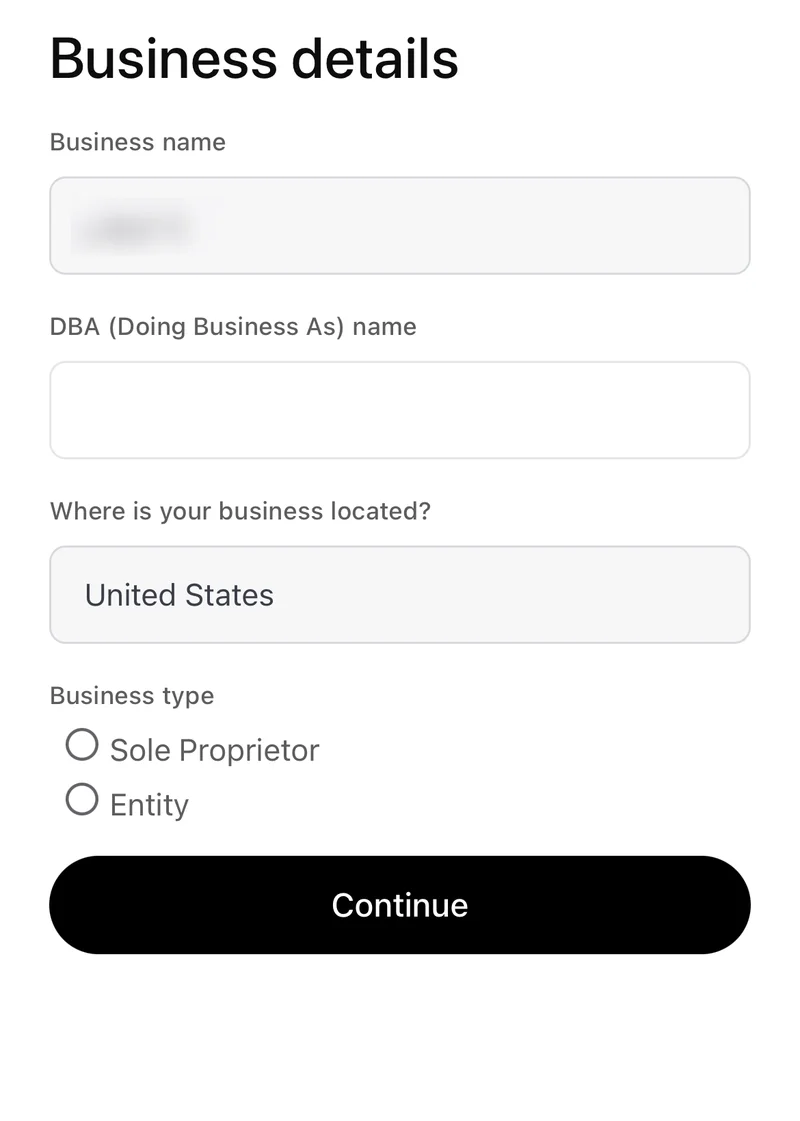
On the Business details screen, the country was locked to United States. There was no way to change it to the United Kingdom. We could not enter the UK business address, so verification failed.
Can you start the claim now and verify later?
It's worth starting if Business Hub offers a claim for your business. Fill in the details it asks for and save a draft if that option is available. If Business Hub offers Shopify or domain verification first, you can use that to confirm your connection to the business. Stop before uploading ID to Persona and come back when UK business addresses are supported. OpenAI says businesses that use another verification method first can return to the profile in the Business tab to complete Persona verification later. OpenAI's setup guide
What is a ChatGPT business profile?
It's a listing people can open when a business appears in a ChatGPT answer. OpenAI calls the feature Businesses in ChatGPT and launched it in beta on 10 November 2026. Business Hub is where owners manage their listing. ChatGPT Business, the paid team workspace, is a separate product. OpenAI's launch announcement
How to claim your ChatGPT business profile
This is the workflow OpenAI documents for eligible owners and authorised representatives. Which options you see depends on the business and the verification methods available.
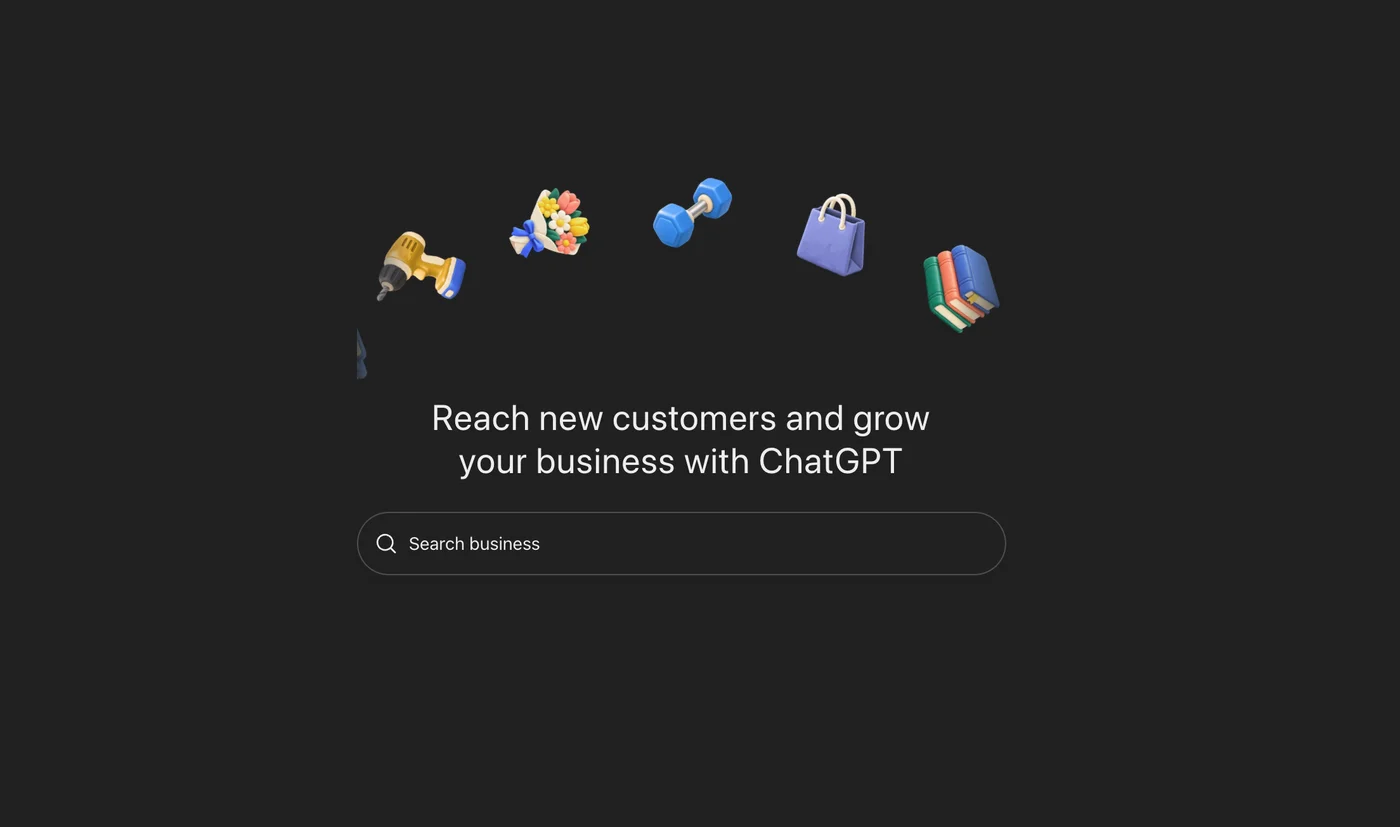
1. Open Business Hub and search for your business
Sign in to ChatGPT and open Business Hub at chatgpt.com/business-hub. Enter your trading name in the search box. If a listing appears, confirm it matches your business and check which ChatGPT account will manage it.
2. Choose how customers interact with you
If Business Hub asks for a business type, choose the route that reflects how customers buy from you. Eligible online businesses may be offered the option to add a missing listing. The physical-location route may show a waitlist.
3. Verify your connection to the business
Use the method Business Hub offers. That may mean receiving a code by business phone or email, connecting your Shopify store, or adding the supplied TXT record to your domain's DNS settings. If someone else manages your domain, ask them to add the record and then return to Business Hub to check it. OpenAI emails you when it has reviewed the claim or needs more information. OpenAI's verification instructions
4. Complete identity verification with Persona
Open your profile in Business Hub to see the Persona prompts. OpenAI may ask for ID, business registration information and proof that you can act for the business. In our UK ecommerce test, the address step came after the passport and face scan and accepted only a US business address. The blue tick appears after OpenAI approves the Persona check. OpenAI says a new profile created using Persona can publish on approval, so review the details before submitting. OpenAI's identity verification instructions
5. Review the listing and check your insights
Review your website, description, category and logo. Online shops can also update delivery and returns information, and connect a product feed for prices and stock. OpenAI reviews profile edits before they appear. Once approved, check the Insights tab for activity. OpenAI's profile and insights instructions
What does claiming do for your business?
- Give customers current information. A useful listing helps someone check that they have the right website and understand what you offer. For an online shop, a product feed can give ChatGPT current price and stock information.
- See whether people click through. Business Hub reports aggregated mentions, website clicks and discovery topics. For online businesses, OpenAI counts a mention when ChatGPT references the website. For local businesses, a mention counts when the location appears. A blank dashboard can reflect low activity or limited reporting.
- Help customers explore products through a Business Agent if eligible. This optional tool answers questions using business information you supply. At launch, it's available to eligible US ecommerce and online service businesses.
ChatGPT still makes its own recommendations. Claiming a profile gives you a way to supply better information, with no guarantee of higher placement or sales. OpenAI's Business Hub FAQ
How to use Business Hub Insights once you're verified
Use discovery topics to spot a question your website could answer better. If you sell homeware and see interest in flat-pack storage, check whether the relevant product pages explain the assembled dimensions and delivery options. After updating the pages, compare ChatGPT referrals with sales in your own analytics. Business Hub reports broad themes and clicks. Your site analytics can show what visitors do after they arrive.
What UK trades can do while they wait
If you're a roofer, plumber or electrician who works at customers' homes, look for the service route when it opens. The physical-location option is designed for premises customers visit. While you wait, check that your website and Google Business Profile agree on your trading name, phone number and service areas. Give each main service a clear page with the places you cover and a way to request a quote.
Also check your website lets in OAI-SearchBot, the crawler OpenAI uses to find and link to websites in ChatGPT search. If your robots.txt file blocks it, ChatGPT can't link to your pages in its answers. Ask whoever looks after your website to check the setting. OpenAI's crawler documentation
Curious how your business shows up today? Get Optimisr's free AI visibility check.